How to Make a Hotel Lobby Style Video: A Practical Photo Guide
Compare filming, editing and original AI performance, then prepare better portraits and a focused topic for your duo.
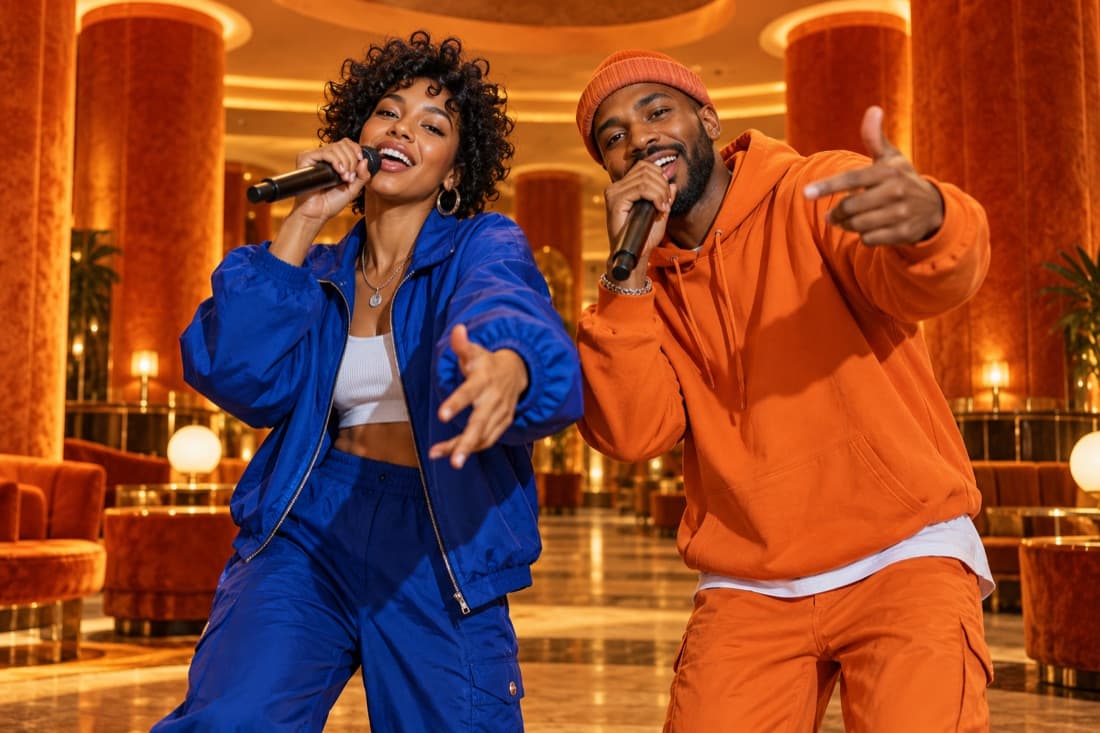
A Hotel Lobby style video uses a clear two-person performance scene. You can film an original duo, edit footage you already have, or create a new AI performance from authorised photos. These are three different workflows; choose the one that matches the material and control you need.
For a personal AI version, prepare one portrait for each person or a clear shared photo, choose your stage and give the video a focused topic. Review the settings and cost before generating. The result is a new AI interpretation, not footage of a real performance.
Three ways to create the idea
Film your own performance
Filming is the clearest choice when you want control over the actual delivery. Place two people in a simple frame, choose lighting that keeps both faces visible and record a short performance with music you are allowed to use. Test the framing before recording the full take.
A single background and two visible performers often communicate the idea more clearly than a busy set. Record a short test, listen for room noise and make sure the microphones or props do not cover the faces.
Edit existing authorised footage
Editing works when you already have a suitable recording and want to shape the timing or presentation. Check the licence for a template as well as for any audio you add. Keep the visual edit honest about who was present and what was performed.
An editing template can change the arrangement of footage. It does not grant ownership of the song or permission to use another person’s likeness. Review those inputs separately.
Generate a new photo performance
AI generation works when you have photos and want a short fictional scene. Rapduo uses the photos, setting and topic as the creative brief. You can create together even if the photos were taken separately.
Expect interpretation rather than an exact rehearsal. Faces, movement and audio can vary between renders. Watch the result carefully before you decide it is the version to share.
The photo workflow, step by step
- Open the studio. Go to Hotel Lobby AI and sign in with Google when you are ready to create.
- Choose photo mode. Use two separate portraits or one image that clearly shows both participants.
- Check the faces. Prefer an uncluttered image with good lighting and no object covering the eyes or mouth.
- Pick the setting. Choose the Hotel Lobby stage or another atmosphere if it better supports your story.
- Review video settings. Check length, format, resolution and the credit estimate shown by the studio.
- Add a topic. Use a short description of the occasion and one memorable detail.
- Start the render. Keep track of progress in your library and review the completed video.
- Download and label. Save the result, ask everyone’s agreement before posting and make the AI context clear.
What you can prepare without paying
You can plan the topic, choose photos and explore examples before purchasing credits. The name generator is a separate way to brainstorm your duo identity. A finished AI video uses the credit system shown in the studio.
Do not start a paid render simply because a page elsewhere calls a trend free. Check the actual balance, estimate and checkout terms in the product you are using. If a promotion is available, read its limits before relying on it for a project.
Photo and topic tips
For separate portraits, choose similar clarity and camera angle. If one face is a distant dot and the other fills the entire frame, the references communicate unevenly. For a shared photo, make sure both faces are visible and there are no unrelated people who might be treated as participants.
Keep the topic about one event. “Two friends reunite after a year apart and celebrate their terrible navigation, upbeat and friendly” tells a story with an understandable tone. Several different events and emotions in one brief can pull the performance in conflicting directions.
Original music or the reference recording?
The official Quavo and Takeoff COLORS video is a reference you can watch in its original context. Your generated video should have its own sound and identity unless you have the rights to use an existing recording.
A similar visual composition and a familiar title do not remove copyright or likeness obligations. Create with your own participants and use original material you are entitled to share.
Make the joke welcome
Ask both people before using their photos. Avoid sensitive topics and keep the surprise focused on the occasion. A birthday or shared hobby is a good anchor because the audience can understand it quickly.
The final review matters as much as the prompt. Listen for wording you did not intend, inspect both faces and decide whether the clip is suitable for the place you plan to publish it.
Questions
Do I need to install an app?
Rapduo runs in a browser. You can prepare the photos and use the studio on a supported phone or computer.
Do both people need to be together?
No. Separate portraits can be used as references, provided each person agreed.
Is the AI clip a real recording?
No. It is a generated interpretation of your photos and brief. Do not describe it as proof that the people actually performed the scene.
Can I choose another stage?
Yes. Pick the atmosphere that fits your idea rather than treating the reference scene as a requirement.
How do I troubleshoot an unsatisfying result?
Start by changing the weakest reference photo or simplifying the topic. Test one change at a time so you can tell what improved the result.
Written by Rapduo Editorial. The official performance supplies the visual reference. Steps describe the Rapduo studio workflow; photo and topic examples are original guidance.