AI Music Video Generators: Choose the Right Workflow for Your Idea
A practical comparison of photo performances, AI scene generators and music-first tools, with a clear checklist before you spend credits.
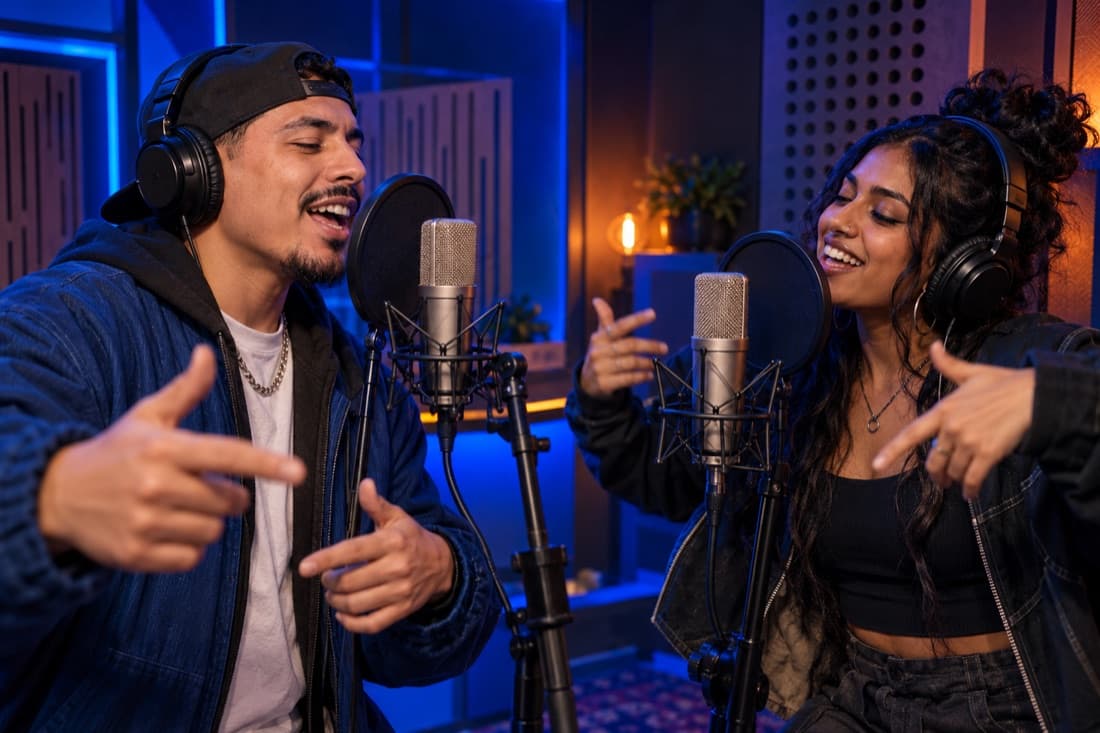
An AI music video generator turns an idea, image or audio reference into moving visuals. The useful comparison is the workflow: a finished song needs visual scenes, while a personal rap surprise needs performers and sound created together. Decide which result you need before comparing model names.
For a short video starring two familiar faces, start with a photo performance studio. For an existing track with precise creative direction, use a scene generator and edit those scenes to your music. For a new full song, start with a music creation tool and plan the video separately.
What to check before you choose
Write down five requirements: your starting asset, target length, frame shape, audio needs and budget. A tool can make beautiful scenes and still leave you with extra work if it does not create the sound or preserve the people you want to show.
Check one short sample before committing to a larger project. Watch faces at the beginning and end, listen to the audio, and inspect whether a vertical crop cuts off the performers. For a two-person scene, both people should remain readable even when the camera moves.
Do not compare headline prices without checking what they include. Credits may vary with resolution, length and model. A useful budget includes the first render, a revision and any editing or soundtrack work needed afterward. Review the current price in the tool you are actually using.
Tools grouped by the job they do
Photo performance: a personal video first
Rapduo is built around a duo. You add portraits or a shared photo, choose the setting and give the performance a short topic. This workflow suits birthday messages, friendship videos and a quick scene in which the people are the point.
It does not replace a music production workstation. If you want to upload a completed song, control every line of the lyrics or arrange an entire album, choose a workflow designed for those inputs. A short performance is a different creative unit from a finished music release.
Scene generation: build a visual sequence
Runway documents image-to-video as a workflow in which an image guides appearance and composition, while a prompt describes motion. That is useful when you want to build visual shots around music you already have. See its official image-to-video guide.
Think in shots: a wide introduction, a closer performance moment and a closing image. Keep the same subject description and environment across revisions. Render one scene at a time, then decide where it belongs in the sequence before generating the next.
Music creation: start with the song
Suno and Udio provide song creation workflows. Their official help centres explain creating music from a description and working with lyrics or audio. They are relevant when the song itself is your main deliverable: Suno music creation and Udio song creation.
Check current download options and usage terms before planning publication. A music generator, visual generator and social platform can each have different requirements. Keep the licence information for the version of the service you use.
Which workflow should you use?
Choose photo performance if the goal is a recognisable duo in one short scene. Choose scene generation plus editing if you already have a soundtrack and need several planned shots. Choose music creation first if you need a new song before you can design its visual story.
You can combine workflows, but make one tool the source of truth for each part. Use one place for the song, one for the picture and one final edit. Trying to change audio, identity, camera motion and narrative in every generation makes it harder to know what improved the result.
Questions
What is the best AI music video generator?
The best fit is the tool that accepts your starting asset and creates your intended result. For a personal duo clip, use a photo performance workflow. For a finished song, use visual scenes and an editor.
Can I make a music video from two photos?
Yes. Rapduo accepts two portraits or a clear shared photo as references for a short duo performance. Use photos that each person agreed to include.
Will every tool create music too?
No. Check whether the product creates audio, accepts your audio or only generates visuals. These are separate capabilities.
Should I begin with high resolution?
Begin with a short, affordable test that lets you assess identity, movement and sound. Increase the settings once the direction is right.
Can I post the result publicly?
Check the service terms, the rights to every input and the destination platform’s rules. Identify an AI performance clearly when the context could confuse viewers.
Ready for a two-person performance? Open the Rapduo studio, or follow the photo-to-rap walkthrough.
Written by Rapduo Editorial. Workflow facts were checked against the official product documentation linked above; the selection framework is our editorial guidance.